Minecraft Education
MojangEducation
4.110.60K Reviews
- Version
- 1.26.33.0
- Installs
- 50.00M
- Age Rating
- Everyone 10+
Screenshots
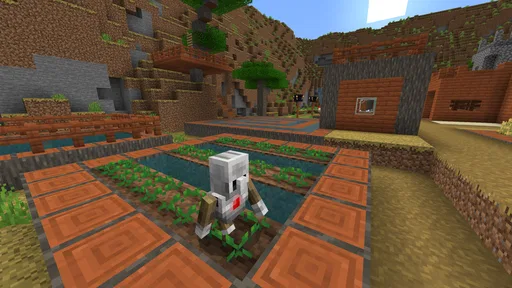
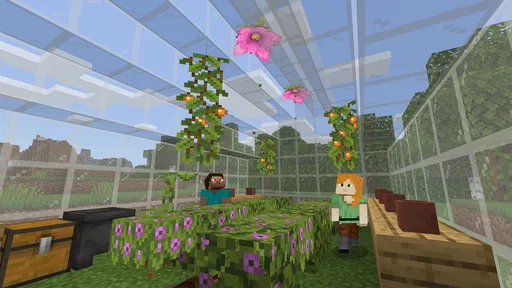
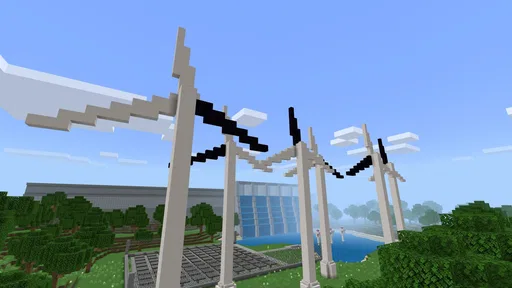
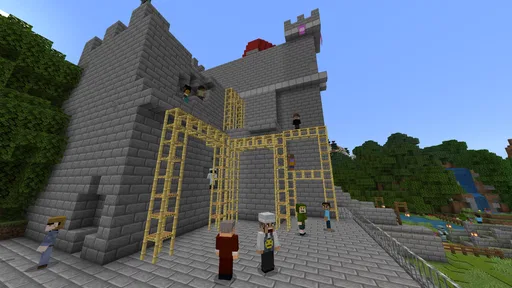
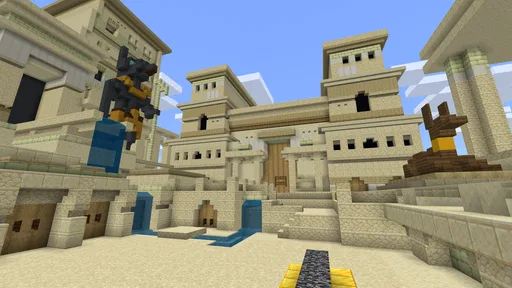
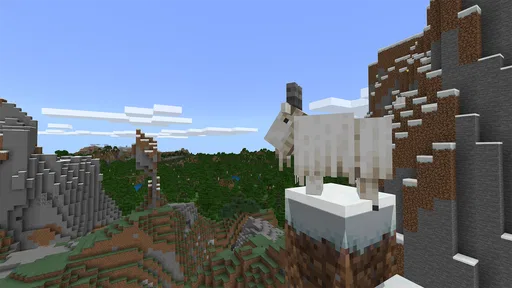
Our Review of Minecraft Education
 Analysis by Appyee
When I think about learning through play, I look for more than a fun world to wander around. The useful question is whether the activity gives a learner a clear reason to explore, make choices, and explain what they did afterward. Minecraft Education is most compelling when a teacher or family treats the world as a shared workspace rather than a reward that happens to contain a lesson.
Start with one goal, not a whole world
My most practical advice is to decide what learners should be able to show by the end before opening a world. A small goal—mapping a route, representing a process with blocks, or building a model that answers a question—keeps the session focused. Without that boundary, the open-endedness that makes Minecraft appealing can turn into aimless building, especially for a group with different levels of experience.
I would begin with a prepared lesson or a simple, clearly stated challenge, then leave room for learners to choose how to solve it. Ask them to describe why they placed something where they did, or to show how their model communicates an idea. That short reflection makes the difference between simply spending time in a game and using the activity to practise reasoning and communication.
Fit the session to the people using it
This is an education app from Mojang, and its strongest audience is people who already have a reason to learn or teach together. Teachers can use a shared build as a starting point for discussion, while students who enjoy making things may find it easier to engage with an unfamiliar topic when they can represent it spatially. A parent helping a child explore can also use the same approach: agree on a modest objective, let the child make decisions, and talk through the result.
It is less suitable if someone wants a conventional, linear course that explains every concept in order, or if the learner simply wants an unstructured building game. The educator still has to choose a useful task and connect the activity to the lesson. I would also avoid making a group project the only way to demonstrate understanding: a learner who is quiet or less experienced with the controls may contribute ideas without getting much time to build.
A realistic way to use it in a lesson
Imagine a class with a short block of time to explore a topic such as renewable energy. Rather than asking everyone to construct an elaborate scene, I would set one practical prompt: make a compact model that shows where energy comes from and how it reaches a place where people use it. Learners could work in pairs, take turns controlling the build, and explain which parts of their model stand for each stage.
That format makes the work easier to review than an open-ended world. The teacher can ask each pair to point out one design choice and one change they would make. If the class has more time, teams can compare their models and discuss why they represented the process differently. The learning comes partly from building, but also from having to make the idea understandable to another person.
For a shorter home session, I would use the same pattern with a smaller task: set a question, make a modest model, and finish by asking the learner to walk me through it. This avoids the common problem of letting a game session run on without a clear stopping point. It also helps a caregiver see whether the child is exploring the subject or mainly experimenting with the building tools.
Building Knowledge, Block by Block
First off, Minecraft Education isn’t just about placing blocks and mining. It’s a whole new experience designed specifically for students and teachers. When I first launched it, I noticed that it retains the familiar charm of the original game but comes packed with educational features that are perfect for classrooms. Picture a game that allows students to explore history, chemistry, mathematics, and even coding. Sounds cool, right?
One of the standout features is the “Classroom Mode.” I found this to be a game-changer (pun intended) for teachers. It provides a map view of the Minecraft world, allowing educators to manage settings, communicate with students, and even teleport them to different locations. It’s like having a digital classroom where you can monitor and guide students’ learning journeys.
Lessons and Learning Adventures
What really caught my attention was the extensive library of lessons and worlds available. From exploring the human body to understanding renewable energy, the possibilities are endless. These pre-made worlds and lesson plans are designed to align with educational standards, making it a breeze for teachers to integrate them into their curricula.
When I explored the chemistry lessons, I was amazed by the interactive Periodic Table. You can create compounds and learn about elements in a hands-on way. The game allows students to conduct experiments without the usual hazards of a real-life lab. It’s safe, fun, and incredibly engaging.
Collaboration and Creativity
One of the things I love about Minecraft Education is how it encourages collaboration. Students can work together on projects, solving problems and building structures. It fosters teamwork while enhancing communication skills. Plus, it’s a fantastic way to promote creativity. I mean, where else can you build an ancient Egyptian pyramid, a futuristic city, or a functioning roller coaster with your classmates?
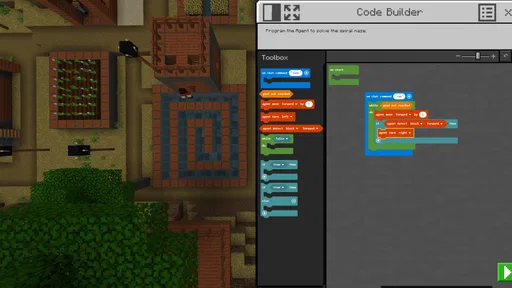
And let’s not forget about the coding aspect. The game includes a “Code Builder” feature, which is perfect for introducing students to the basics of programming. Using block-based coding and JavaScript, students can automate tasks and create complex systems. It’s a gentle introduction to coding that makes the subject less intimidating and more accessible.
Settings and a steadier routine
Before a lesson, I would check the device and access arrangements rather than assume every learner can jump straight in. The Android edition is free, is rated for Everyone 10+, and requires Android 8.0 or later. Mojang’s education app has an average rating of 4.1 from around 129,000 ratings, with more than 10 million installs. It was released on July 24, 2020, and version 1.21.93.1 is the current version.
Those details help set expectations, but the classroom workflow matters just as much. I would have learners open the same activity, agree on a simple role split, and establish a verbal signal for pausing to discuss the work. For example, one student can focus on placing blocks while another checks whether the model answers the prompt; switching roles halfway through makes the collaboration more balanced without adding complicated rules.
It is also worth deciding how much freedom a task needs. A tightly framed prompt is useful when the group is new to the app or has limited time, while a more open brief suits learners who can manage their own steps. The trade-off is straightforward: more choice can produce more original work, but it also asks the teacher to spend more time helping students stay on task.
Faster patterns without rushing the learning
Experienced users can save time through repeatable habits rather than relying on shortcuts they may not have on every device. I would keep instructions brief, demonstrate the first action, and have learners repeat the same small cycle: build, inspect, explain, revise. A visible target for the finished work also reduces repeated questions, because students can compare their progress with the task instead of waiting for the teacher to approve every step.
For group projects, assigning a builder, a checker, and a spokesperson can prevent one confident player from taking over. These roles do not need to be permanent, and rotating them gives quieter students a concrete way to participate. If a class is working independently, asking learners to name their build or describe its purpose before they begin can also help them keep a clear line between the subject and the game activity.
When using a lesson world, I would preview the activity and identify the point where students should stop to reflect. That is a more dependable time-saving measure than trying to cover several ideas in one session. A smaller, completed task usually gives a teacher more useful evidence of understanding than a large construction that is impressive but difficult to explain.
Getting Started with Ease
Setting up Minecraft Education was a breeze. As a teacher or student, you’ll need a Microsoft account to log in. The app is available on various platforms, including Windows, Mac, iPad, and Chromebook, making it highly accessible. Once you’re in, the user-friendly interface guides you through creating or joining a world, ensuring you’re up and running in no time.
And if you’re worried about technical issues, fear not. The app provides ample support and resources. From tutorials to troubleshooting guides, everything you need is just a click away. It’s evident that the developers have thought of everything to ensure a smooth experience for both educators and students.
Where the format has limits
The same freedom that makes a build expressive can make it harder to assess. A polished-looking structure does not automatically show that a learner understands the topic, so I would pair the build with a short explanation, a labelled model, or a question about one design decision. This is especially important when the activity involves a group: the finished world may not reveal who made which choices or who needs more help.
It also should not replace a more direct tool when the task is mainly reading, practising a procedure, or getting a precise explanation. A textbook, a focused tutorial, or a subject-specific learning app may be more efficient for those jobs. Minecraft Education is a better fit when learners can benefit from making a representation, testing an idea, or discussing a shared creation. The game layer is a means, not proof that learning has happened.
For someone wondering whether the Android app is suitable for solo use, I would say it can still support an individual activity, but the educational payoff depends on having a clear objective and some way to reflect on the result. If the main appeal is playing the familiar sandbox without a lesson or learning goal, the regular Minecraft experience may be a more natural choice. If the aim is structured learning, this edition makes more sense when a teacher, parent, or learner actively shapes the task.
Final Thoughts
In a nutshell, Minecraft Education is a brilliant tool for modern education. It transforms learning into an engaging and interactive experience, harnessing the power of a game that’s already beloved by millions. Whether you’re a teacher looking to spice up your lessons or a student eager to learn in a creative way, this app has something for everyone.
So, why not give it a try? With endless opportunities to learn and create, Minecraft Education is more than just a game—it’s a gateway to a new world of learning. Trust me, once you start, you’ll never look at education the same way again.
My practical verdict
I would recommend it to teachers who are willing to set a clear challenge, students who enjoy learning by making, and families who want a shared activity that invites conversation. I would be more cautious if a group has very little time, if learners need a carefully sequenced course, or if nobody is available to guide the activity. In those cases, a simpler lesson format can be a better use of everyone’s attention.
The app works best when the goal is modest, the roles are fair, and the finished build has to communicate an idea. That routine keeps the creative freedom without letting it swallow the lesson. If that sounds like the kind of learning experience you want, I think it is worth trying; just go in with a purpose, and let the blocks support the learning rather than stand in for it.
Privacy and Permissions
See what permissions an app requests and how it handles your data.
- Photos/Media/Files
- read the contents of your USB storage, modify or delete the contents of your USB storage
- Storage
- read the contents of your USB storage, modify or delete the contents of your USB storage
- Wi-Fi connection information
- view Wi-Fi connections
- Other
- view network connections, allow Wi-Fi Multicast reception, full network access, control Near Field Communication, control vibration, prevent device from sleeping, Google Play license check
Verdict
Strengths of Minecraft Education
- Encourages creativity and innovation.
- Supports cross-platform play.
- Includes educational resources.
- Customizable learning environments.
- Engages students in STEM subjects.
Limitations of Minecraft Education
- May require constant updates.
- Some features need internet access.
- Complex for younger students.
- Limited support for non-English languages.
- Subscription may be costly for schools.
Other Releases by Mojang
View All
Minecraft: Dream it, Build it!
Arcade4.3

Minecraft Education Preview
Education3.7
Similar Picks in This Category
View All
Duolingo: Language Lessons
Duolingo4.7

Google Classroom
Google LLC2.8

Unacademy: Learn & Crack Exams
Unacademy3.2

Bible App for Kids
Life.Church4.4

Cake - Learn English & Korean
Cake Corp.4.7

Brainly: AI Homework Helper
Brainly4.5
Frequently Asked Questions
What is Minecraft Education Edition, and how is it different from regular Minecraft?
Minecraft Education Edition is a version of Minecraft designed specifically for educational purposes. Unlike the regular version, it includes features that support collaboration and learning, such as a classroom mode, secure environment, and tools for teachers to manage and engage students. It also offers resources aligned with educational standards, making it an effective tool for teaching various subjects.
What platforms can I use to access Minecraft Education Edition?
Minecraft Education Edition is available on multiple platforms, including Windows, macOS, iPad, and Chromebook. This wide range of compatibility ensures that students and educators can access the game regardless of the devices they have, facilitating its integration into different learning environments. However, it is important to verify device specifications to ensure smooth performance.
How does Minecraft Education Edition support learning and collaboration in the classroom?
Minecraft Education Edition supports learning by offering a virtual environment where students can explore, create, and problem-solve together. Features like the Classroom Mode allow teachers to manage the virtual world and guide student interactions. The platform also includes a library of lessons and activities that align with various subjects, fostering creativity and teamwork among students.
Is there a cost associated with using Minecraft Education Edition?
Yes, there is a cost associated with Minecraft Education Edition. Schools and educators typically purchase licenses through subscription plans, which vary based on the number of users and duration. Microsoft often provides discounts for educational institutions, and there may be trial options available to evaluate the application before committing to a purchase.
What age group is Minecraft Education Edition suitable for?
Minecraft Education Edition is designed for a wide range of age groups, typically from elementary through high school. Its flexible nature allows educators to tailor lessons to different age levels and subjects. The platform's adaptability makes it suitable for younger students learning basic concepts and older students engaging in more complex problem-solving and collaborative projects.
